How to Transfer an eSIM Between Android and iPhone Without Changing Your Number
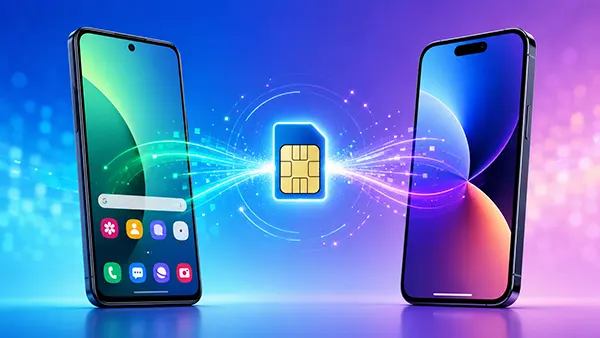
Moving from Android to iPhone, or from iPhone to Android, no longer automatically means asking a mobile operator for a replacement SIM or accepting a new telephone number. By 2026, Apple, Google and several Android manufacturers support direct eSIM transfers between compatible devices. The important point is that the feature depends on three things working together: the old phone, the new phone and the mobile operator. When all three support the required transfer method, an existing number can move to the new handset within the normal setup process. When they do not, the same number can usually still be retained, but operator-assisted eSIM activation may be necessary.
How Cross-Device eSIM Transfer Works in 2026
An eSIM is tied to a mobile subscription but does not require a removable plastic card. This makes changing phones more convenient, although an eSIM cannot simply be copied like a photograph or contact. During a supported transfer, the mobile subscription is authorised on the new handset and the old device loses access to that line after the process is completed. The telephone number itself does not change. Apple confirms that a successfully transferred eSIM is deactivated on the previous Android phone once it becomes active on the iPhone.
The biggest change in 2026 is broader support for transfers between different operating systems. Apple introduced a built-in Android-to-iPhone process with iOS 26. For this route, Apple currently specifies an iPhone 11, iPhone 11 Pro, iPhone 11 Pro Max or later running iOS 26, together with a compatible Android phone running Android 16 or later. Both devices need Wi-Fi, Bluetooth and support from the mobile operator. Google also allows supported phones to transfer an existing physical SIM or eSIM to an eSIM during setup or later through the SIM settings, although availability still differs by operator.
This distinction matters because having eSIM support is not the same as having eSIM transfer support. A phone may accept an eSIM while its operator does not permit an automatic transfer from another device. The menu may therefore show an option to add an eSIM but not an option to move the existing line. Users should check both the device requirements and their operator’s current transfer support before deleting anything from the old handset. Keeping the original phone switched on and usable until calls, mobile data and text messages work on the replacement phone provides a simple safeguard against unnecessary service interruption.
Transferring an eSIM from Android to iPhone
For a compatible Android-to-iPhone transfer, the phones should first be updated, connected to Wi-Fi and placed close together with Bluetooth enabled. On the iPhone, the relevant option appears under cellular settings. Apple instructs users to choose Set Up Cellular and then Transfer from Android. If the iPhone already has another SIM configured, the route is Cellular, Add eSIM and Transfer from Android. The iPhone then creates a QR code that connects the two devices for the transfer process.
The Android phone scans the QR code shown on the iPhone. The user selects the telephone number to be moved and confirms the transfer on the Android device. If the system asks whether the transferred line should become the primary eSIM, that choice can also be made during setup. Once activation finishes, Apple recommends making a call from the iPhone to confirm that the mobile service is working. The corresponding SIM on the Android phone is then inactive, preventing the same subscription from remaining active on both devices through this transfer method.
Apple also provides an alternative when the QR code cannot be scanned. The iPhone can display a session ID and pairing information, while the Android device offers the relevant controls through Google services. This does not bypass operator restrictions; it is simply another way of linking compatible phones. As of July 2026, Apple’s supported Android-to-iPhone operator list includes EE in the UK, Orange and SFR in France, Telekom and 1&1 in Germany, Swisscom in Switzerland, AT&T, T-Mobile and Verizon among several US networks, plus selected operators in other countries. Support can change, so the presence of an eSIM option alone should not be treated as proof that direct transfer is available.
Moving an eSIM from iPhone to Android Without Losing the Number
The reverse process has also become considerably easier, although the exact route depends more heavily on the destination Android phone. Apple added built-in support in iOS 26.3 for transferring an eSIM and other selected data to a compatible Android device. Apple’s current instructions specify a compatible version of Android 17 for this workflow. The phones need current software, Wi-Fi and Bluetooth, and the operator must support the transfer. As with the Android-to-iPhone process, the mobile number moves rather than being replaced with a different one.
When setting up a compatible Android phone, the device can display a QR code that is scanned with the iPhone camera. The phones are then paired and the transfer can include selected information such as contacts, photographs, calendars, call history and messages. The eSIM transfer is confirmed separately, so moving personal data and moving the mobile subscription should not be treated as exactly the same operation. Apple requires the transfer to be confirmed on the iPhone, and once the selected number has been transferred successfully it stops working on the old Apple device.
Users who only want to move the eSIM do not necessarily need to repeat the entire phone migration. On supported versions of iOS, Apple provides a Transfer eSIM option under the Cellular settings when an eligible Android device has started its eSIM setup process. The phones are placed next to each other, paired using the QR code and the required telephone number is selected. This can be useful when the Android phone has already been configured or when personal files are being moved separately. Availability remains dependent on the operator rather than on iOS alone.
How the Process Differs on Samsung Galaxy and Other Android Phones
Android manufacturers can provide their own transfer controls in addition to Google’s standard setup options. Samsung, for example, offers eSIM Instant Transfer on supported Galaxy devices and networks. On an eligible Galaxy phone, the user can go to Settings, Connections, SIM manager and Add eSIM. Where the necessary support is available, the phone may show Transfer SIM from iPhone. The new Galaxy then produces a QR code that can be scanned on the old iPhone, after which the user chooses the number and confirms the move. Samsung states that this process can take place without contacting the operator when the network supports the feature.
Samsung’s 2026 documentation demonstrates why users should check the exact combination of country, network and handset rather than assuming that every modern Galaxy will behave in the same way. Its published list for iPhone-to-Galaxy Instant Transfer includes EE in the UK, Telekom in Germany, Orange and SFR in France, Swisscom in Switzerland and several North American operators including AT&T, T-Mobile and Verizon in the United States. Samsung also notes that both phones should have current software, Wi-Fi and Bluetooth enabled. Regional versions of the same Galaxy model can differ in eSIM availability.
Pixel and other Android phones may present slightly different wording. Google’s general Pixel guidance places eSIM transfers either inside the initial phone setup or under Settings, Network & internet, SIMs, Add SIM and Transfer SIM from another device. Google also warns that automatic detection depends on the operator. If the transfer option does not appear, repeatedly resetting the phones is unlikely to solve an operator-side restriction. At that point, checking the operator’s activation procedure is more useful than deleting the working eSIM from the old device.
When a Direct eSIM Transfer Is Not Available
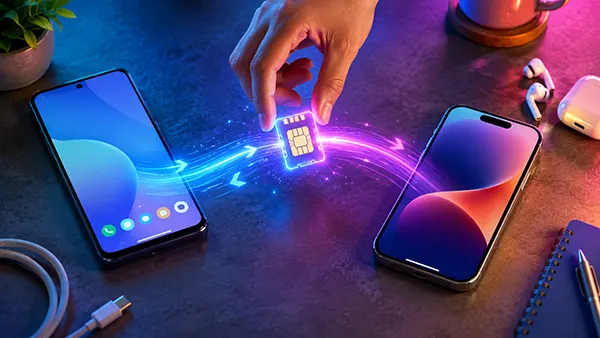
A failed or unavailable direct transfer does not normally mean that the customer needs a new telephone number. It more often means that the operator must activate the existing subscription on the new device through another method. Depending on the network, this may involve an operator app, automatic eSIM activation, an online account, a new QR code or assistance from customer service. Apple specifically advises contacting the operator for eSIM Carrier Activation or a QR code when a non-Apple device cannot use the supported direct transfer feature. Samsung similarly directs customers to their operator if Instant Transfer is unavailable.
There is an important difference between keeping a telephone number and keeping the exact same eSIM credentials. An operator can preserve the existing number while issuing fresh eSIM activation information for the replacement phone. From the customer’s perspective, calls and messages continue on the familiar number, but the old eSIM profile may be replaced rather than literally copied. This is normal and should not be confused with number replacement. For that reason, a request for a new QR code does not automatically mean that the operator intends to assign a different number.
Operator assistance is also more likely with business subscriptions, older plans, regional handset variants or phones bought through different markets. Device locks can create another obstacle. Samsung, for example, states that the new device must be unlocked for its eSIM Instant Transfer process. Before starting, it is therefore sensible to confirm that the destination phone supports eSIM in the country where it will be used, that it is not restricted to another network and that the subscription itself is eligible for device-to-device transfer.
Checks to Make Before Erasing the Old Phone
The safest approach is to treat the old phone as a fallback until the transfer has been fully tested. After activation on the new handset, switch off Wi-Fi temporarily and confirm that mobile data works through the transferred line. Make an outgoing call, receive a call and send a text message. If the subscription includes roaming, Wi-Fi Calling or other operator-specific services, their settings can be checked separately afterwards because an active eSIM does not always mean that every optional network feature has been restored immediately.
Changing operating systems can also affect messaging services independently of the eSIM. A person moving away from an iPhone should make sure that conversations intended as ordinary SMS or RCS messages are reaching the new Android phone rather than remaining associated only with Apple messaging services. Someone moving to an iPhone should similarly check messaging activation after the mobile line is working. These checks do not change the eSIM itself, but they help distinguish a messaging configuration issue from a failed mobile subscription transfer.
Only after the new phone can reliably make calls, receive messages and use mobile data should the old handset be erased, sold or reset. If direct transfer is supported, there is normally no reason to request a different telephone number merely because the customer has changed from Android to iPhone or in the opposite direction. The practical limitation in 2026 is compatibility: the operating-system version, handset implementation and operator must all support the chosen method. Where they do, transferring the existing number can be part of the normal phone setup. Where they do not, operator-assisted activation remains the appropriate route for retaining the same number without risking loss of service.