Why Live Casino Video Freezes on Smartphones: WebRTC, HLS and Streaming Delays
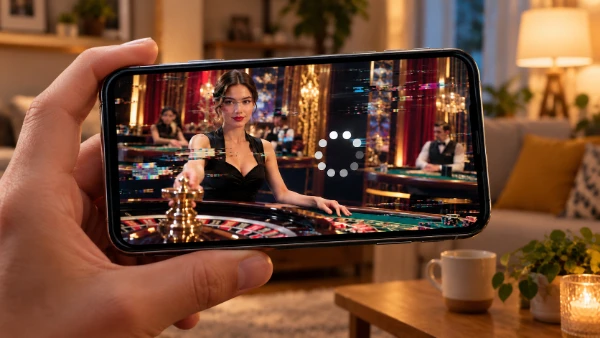
A live roulette wheel suddenly stops moving, the dealer’s voice cuts out, or the picture falls several seconds behind the action. These interruptions can occur even when a smartphone shows a strong internet signal. Understanding how live casino streaming works helps identify whether the cause lies with the connection, browser, device or video service.
Why Live Casino Streams Freeze on Mobile Devices
Live dealer games combine traditional casino entertainment with real-time video broadcasts. At Nolim casino, players can explore live casino entertainment alongside other popular gaming categories. Live roulette, blackjack and baccarat bring the atmosphere of a professional gaming studio to a smartphone, allowing players to follow the dealer’s actions and participate in rounds remotely.
Mobile networks can fluctuate when a phone switches between cell towers or moves through areas with weaker coverage. Even a fast 5G connection may briefly lose data, causing video to pause while the player rebuilds its buffer. Congested public Wi-Fi can produce similar interruptions, particularly when several devices share the same connection.
Smartphone performance matters too. Multiple background applications, an outdated browser or limited available memory can disrupt playback. Power-saving settings may restrict background activity, while overheating can reduce processing performance. If other videos also stutter, the issue may involve the device rather than the casino’s broadcast.
How WebRTC and HLS Affect Video Playback
WebRTC allows real-time audio and video communication with very little delay under suitable conditions. It can be useful for interactive broadcasts where timing matters. However, unstable connections, packet loss or network restrictions may interrupt delivery. Whether a particular casino uses WebRTC depends on its streaming technology.
HLS, or HTTP Live Streaming, works differently. It delivers video in small segments and can adjust picture quality to available bandwidth. This helps maintain playback when internet speeds change. Traditional HLS can introduce additional delay because the player keeps video data ready before displaying it, although low-latency versions reduce that gap.
Neither technology guarantees uninterrupted video. WebRTC generally prioritises responsiveness, while HLS supports reliable delivery across different network conditions. Players cannot usually select the streaming protocol themselves. Understanding the distinction explains why one live table might respond quickly while another appears noticeably delayed.
How to Check Your Connection and Reduce Streaming Delays
Start by testing the connection using a familiar speed-testing service. Download speed indicates how quickly data arrives, while latency measures response time. Packet loss and fluctuations in latency can be particularly troublesome for live video. A single impressive speed result does not prove that the connection will remain stable throughout a session.
Compare playback over Wi-Fi and mobile data, preferably without switching networks during an active game. If freezing disappears on one connection, the original network is a likely cause. When using Wi-Fi, move closer to the router and pause large downloads. Switching from a crowded public network to a reliable private connection may also help.
Next, close unnecessary browser tabs, update the browser and restart it. If the problem persists, try another supported browser or restart the smartphone. Disable a VPN temporarily if permitted and safe to do so, since routing traffic through a distant server can increase delays. Avoid clearing casino cookies during an active session because this may sign you out.
What to Do When the Dealer’s Video Remains Delayed
Video delay and video freezing are different symptoms. A delayed broadcast can play smoothly while showing events several seconds after they occurred. Freezing means playback stops or repeatedly pauses. Compare the dealer’s movements with the game’s on-screen status to identify the issue, but remember that interface updates and video may follow separate delivery paths.
If the picture freezes during an active round, avoid repeatedly pressing betting controls or assuming that a wager failed. Check the game’s transaction history and current round status before taking further action. The recorded game outcome is not necessarily affected by a frozen video feed, although the rules and recovery procedures depend on the operator.
Persistent problems affecting several games may indicate a wider service issue. Contact customer support with the game name, approximate time, smartphone model, browser and connection type. A screenshot of an error message may help. If playback remains unreliable, stop playing until the issue is resolved rather than risking confusion over bet confirmation or results.