Smartphone Privacy Without Excessive Tracking: Managing App Permissions, Sensors, Location and Advertising on Android and iOS in 2026
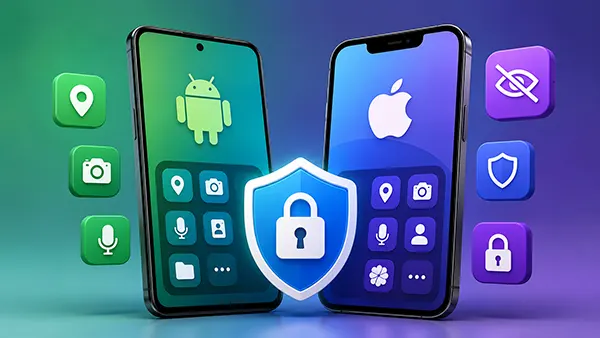
Modern smartphones collect far more information than most people realise. Location records, sensor data, advertising identifiers, Bluetooth activity and app permissions can reveal a detailed picture of daily life even when a device is not infected with malware. In 2026, both Android and iOS include stronger privacy controls than previous generations, but these protections are only effective when users actively review and adjust them. Understanding how permissions, sensors, location services and advertising settings work is one of the most effective ways to reduce unnecessary data collection while maintaining normal smartphone functionality.
Reviewing App Permissions and Limiting Unnecessary Access
Many applications request access to features that are not essential for their core purpose. A weather application may ask for precise location, a photo editor may request contact access, and a shopping app may seek permission to use the microphone. Before granting access, users should consider whether the requested permission is genuinely required. Both Android 15 and iOS 26 allow permissions to be granted permanently, temporarily, only while using an app, or denied completely.
Permission dashboards have become significantly more detailed. Android’s Privacy Dashboard and Apple’s App Privacy reports allow users to see which applications recently accessed sensitive resources such as the camera, microphone, contacts and location services. Reviewing these reports regularly helps identify applications that access information more frequently than expected.
A useful privacy habit is removing permissions from apps that are rarely used. Modern operating systems can automatically revoke permissions from inactive applications, but users should still perform manual reviews several times a year. Limiting access reduces the amount of personal information available to developers, advertisers and third-party analytics services.
Camera, Microphone and Contact Access: Practical Settings for Daily Use
The camera and microphone are among the most sensitive permissions on any smartphone. Social media, messaging and video conferencing applications require them, but many other apps do not. Users should disable these permissions unless there is a clear operational need. Both Android and iOS display visual indicators whenever the camera or microphone is active, making unexpected access easier to detect.
Contact lists often contain personal information about family members, colleagues and business relationships. Instead of granting full contact access, users should choose limited access options when available. Several modern applications can function correctly even without reading an entire address book.
Notification permissions also deserve attention. Excessive notification access can expose behavioural patterns and increase tracking opportunities. Restricting notifications to important applications improves privacy while reducing distractions throughout the day.
Managing Location Services and Device Sensors
Location data remains one of the most valuable categories of personal information. In 2026, both Android and iOS offer precise and approximate location options. For many services, including weather forecasts, local news and restaurant recommendations, approximate location provides sufficient functionality without continuously exposing a user’s exact movements.
Users should avoid granting permanent background location access unless absolutely necessary. Navigation software, delivery tracking and certain safety applications may require it, but most applications function normally with location access limited to active use. Regular audits of location permissions can significantly reduce long-term location profiling.
Bluetooth scanning and nearby device discovery can also reveal movement patterns and interactions with other devices. Disabling these features when they are not needed reduces the amount of environmental data collected by both operating systems and installed applications.
Understanding Motion Sensors, Activity Tracking and Nearby Device Access
Smartphones contain accelerometers, gyroscopes, magnetometers, barometers and other sensors that help applications detect movement and orientation. Fitness applications and navigation tools rely on this information, but sensor data can also contribute to behavioural profiling when combined with other datasets.
Both Android and iOS now provide more visibility into motion and fitness permissions. Users who do not actively use health tracking services should review which applications have access to movement data. Limiting sensor access can reduce unnecessary collection of behavioural information without affecting core phone functionality.
Nearby device permissions have become increasingly important due to smart home equipment, wearables and wireless accessories. Applications should only receive nearby device access when they genuinely need to connect with external hardware. Removing unnecessary access reduces exposure to additional tracking mechanisms.

Reducing Advertising Tracking and Strengthening Everyday Privacy
Advertising identifiers remain widely used for behavioural advertising, although regulations and operating system restrictions have reduced some forms of cross-app tracking. Users should review advertising settings and disable personalised advertising where possible. While this does not eliminate data collection entirely, it can reduce the amount of profiling associated with daily smartphone use.
Both Apple and Google provide transparency tools that show how applications request tracking permissions and share information with third parties. Reviewing these disclosures before installing new software helps users make informed decisions about which applications deserve access to personal data.
Application installation habits are equally important. Downloading software only from official stores, reviewing privacy policies and checking developer reputations can prevent many privacy risks before they arise. Privacy protection is often more effective when potential issues are avoided rather than corrected later.
Creating a Long-Term Privacy Routine for Android and iPhone Users
Privacy settings should not be configured once and forgotten. New operating system updates, application updates and feature releases can introduce additional permissions or modify existing privacy controls. Scheduling a quarterly privacy review helps ensure settings remain aligned with personal preferences.
Users should also review account-level privacy settings associated with Google and Apple services. Activity history, location history, cloud synchronisation preferences and advertising controls can all influence the amount of information stored and processed outside the device itself.
A smartphone does not need to become completely disconnected to offer stronger privacy. By carefully managing permissions, limiting location access, controlling sensor usage and reducing advertising tracking, users can maintain convenience while significantly lowering the amount of personal information collected during everyday mobile use in 2026.