Secure Photo Storage on a Phone: What to Encrypt, What to Hide and What to Delete
Smartphones have become the primary place where personal photos are stored, from everyday snapshots to sensitive documents and private moments. By 2026, mobile devices offer advanced security tools, yet many users still rely on default settings that leave data exposed. Understanding which images require encryption, which should be hidden, and which are better removed entirely is essential for maintaining privacy and reducing digital risk.
Which Photos Should Be Encrypted and Why It Matters
Not all images carry the same level of sensitivity, but certain categories demand stronger protection. Photos of identification documents, financial records, medical information, or confidential work materials should always be encrypted. Modern smartphones, including iOS and Android devices, provide built-in encryption at the system level, but additional app-level encryption offers an extra layer of control.
Encryption ensures that even if someone gains access to your phone or extracts data from storage, the content remains unreadable without the correct credentials. In 2026, many secure gallery applications use AES-256 encryption, which is considered industry standard. This is particularly relevant for users who store scans of passports, driving licences, or contracts directly on their devices.
Cloud backups also require attention. While services such as iCloud and Google Photos offer encryption in transit and at rest, enabling end-to-end encryption where available adds further protection. Without it, service providers may technically access stored data under certain conditions, which may not align with strict privacy expectations.
Best Practices for Encrypting Photos on Modern Smartphones
Start by enabling full device encryption, which is typically active by default on newer smartphones. However, relying solely on this is not sufficient for highly sensitive images. Dedicated secure folders or vault apps provide isolated environments protected by biometric authentication or strong passwords.
Use applications that do not store encryption keys locally without protection. In 2026, reputable apps separate key management from storage, reducing the risk of unauthorised access. Avoid unknown or poorly reviewed tools, as they may compromise rather than improve security.
Regularly review encrypted content. Over time, files accumulate, and outdated documents may no longer need to be stored. Keeping only necessary encrypted images reduces exposure and simplifies management.
What Photos Should Be Hidden Instead of Deleted
Not every private image needs encryption. Some photos are not highly sensitive but still unsuitable for public display. Personal memories, family images, or screenshots containing minor personal details can be hidden rather than encrypted or deleted.
Modern smartphones include “hidden” or “private” albums, which remove images from the main gallery view. On iOS, the Hidden album can be locked with Face ID or Touch ID, while Android devices offer similar functionality through secure folders or gallery settings. These features are designed for convenience rather than maximum security.
Hiding photos helps maintain organisation and prevents accidental sharing. For example, when browsing images with others or selecting files to send, hidden items remain out of sight. This reduces the likelihood of unintentional exposure without adding unnecessary complexity.
Limitations of Hidden Albums and When They Are Not Enough
Hidden albums should not be treated as a security solution for critical data. In many cases, they rely on simple access controls rather than strong encryption. If someone unlocks your phone, hidden images may still be accessible depending on device settings.
Some third-party apps and file managers can bypass basic hiding mechanisms, especially on older devices or those with modified software. This makes hidden albums unsuitable for storing documents such as ID scans or financial screenshots.
Use hiding as a convenience feature, not a protection method. If there is any risk associated with exposure, encryption is the more appropriate choice.
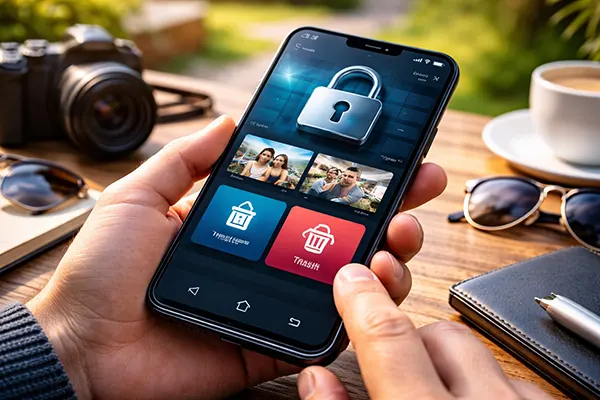
Which Photos Should Be Deleted to Reduce Risk
Deleting certain images is often the most effective way to improve privacy. Photos that are no longer needed, especially those containing sensitive information, should not remain on a device indefinitely. This includes temporary documents, verification screenshots, and one-time codes captured as images.
Many users overlook the risk of residual data. Even after deleting a photo from the gallery, it may remain in the “Recently Deleted” folder or cloud backups. In 2026, both iOS and Android systems retain deleted files for up to 30 days by default, which can be a vulnerability if not managed properly.
Regular clean-ups reduce the amount of personal data stored on a device. The fewer sensitive images exist, the lower the potential impact of data breaches, device theft, or unauthorised access.
How to Properly Remove Photos Without Leaving Traces
Start by deleting images from the main gallery and then immediately clearing the “Recently Deleted” or “Trash” folder. This ensures the files are permanently removed from local storage rather than temporarily hidden.
Check cloud services separately. Deleting a photo from your device does not always remove it from cloud backups. Access your cloud account and confirm that the image has been fully erased from all synced locations.
For highly sensitive data, consider using secure deletion tools that overwrite storage space. While modern smartphones use encryption that makes recovery difficult, additional measures may be justified for critical information.