Background App Activity in 2026: How Mobile Operating Systems Limit Background Processes and Why Notifications Sometimes Fail
Modern smartphones in 2026 are significantly more powerful than devices from just a few years ago, yet users still encounter a familiar problem: delayed notifications, missed messages and apps that appear to “freeze” in the background. The reason is rarely a technical fault. In most cases, it is a deliberate decision made by the operating system. Both Android 15/16 and iOS 18 apply increasingly strict background process management to protect battery life, performance and user privacy. Understanding how these systems work — and how to configure them correctly — is essential if you rely on real-time alerts for messaging, banking, navigation or work tools.
How Android and iOS Manage Background Processes in 2026
By 2026, Android and iOS use multi-layered background control systems. On Android 15 and the early builds of Android 16, the system categorises apps into active, working set, frequent and restricted buckets. These categories determine how often an app may run background tasks, access the network or trigger alarms. If an application is rarely opened, it may be automatically moved to a restricted state, significantly limiting its ability to deliver push notifications instantly.
iOS 18 follows a different philosophy but achieves similar results. Apple relies on a tightly controlled background execution model. Applications are generally suspended shortly after being minimised. They may wake periodically through Background App Refresh, silent push notifications or specific background modes (such as VoIP, navigation or audio). If the system detects excessive energy consumption or abnormal network behaviour, it reduces background opportunities without explicitly notifying the user.
Both systems rely heavily on machine learning models trained on usage behaviour. If you consistently open a messaging app at certain times, the OS prioritises it. If you ignore an app for weeks, its background privileges are scaled down. This adaptive logic improves battery endurance but can interfere with time-sensitive notifications when the system misjudges the app’s importance.
Battery Optimisation and Adaptive Restrictions
Battery optimisation remains the primary reason for background limitations. In 2026, smartphones use dynamic power budgeting. The OS monitors CPU cycles, network wake-ups and sensor usage. If an application frequently wakes the device or maintains persistent connections, it may be flagged as “excessive”. Android’s adaptive battery feature and iOS’s energy impact scoring directly influence notification delivery timing.
Another layer involves doze modes and standby states. On Android devices, extended screen-off periods trigger deeper sleep phases. During these phases, network access is batched into maintenance windows. Notifications may be delivered in groups rather than individually. On iPhones, Low Power Mode and Focus Filters can silently reduce background refresh frequency, especially overnight.
Manufacturers add their own optimisation layers. In 2026, brands such as Samsung, Xiaomi and OnePlus still apply additional background management policies on top of stock Android. These proprietary systems may close apps aggressively unless explicitly whitelisted. As a result, two Android phones running the same OS version may behave differently regarding notification reliability.
Why Notifications Sometimes Do Not Arrive on Time
Missed notifications are rarely random. In most cases, one of four technical factors is responsible: background restriction, network batching, permission misconfiguration or server-side push delivery delays. On Android, if an app is placed in the restricted bucket, high-priority push messages may still arrive, but normal-priority messages can be deferred until the next maintenance window.
On iOS, silent push notifications are not guaranteed to wake an app immediately. Apple’s system decides whether to deliver them based on device conditions, battery level and recent activity. If the device is in Low Power Mode or has weak connectivity, background processing may be postponed. This behaviour is intentional and designed to balance performance and endurance.
Another overlooked cause is notification channel configuration. Since Android 13, users must explicitly grant notification permission on first launch. If permission is denied or partially configured, certain categories of alerts may never appear. On iOS 18, notification summaries and Focus modes can group or delay alerts until scheduled summary times, giving the impression that messages were not delivered.
Network Conditions and Server Dependencies
Push notifications depend not only on your phone but also on remote servers. Messaging and banking applications use Firebase Cloud Messaging (FCM) on Android and Apple Push Notification service (APNs) on iOS. If the app’s server delays sending a push token update or encounters temporary outages, delivery may be postponed regardless of your device settings.
Network transitions also matter. When switching between Wi-Fi and 5G, background connections may reset. If an app does not handle token re-registration correctly, push delivery can be interrupted. In 2026, 5G standalone networks improve latency, yet inconsistent signal in underground transport or rural areas still affects real-time alerts.
Corporate VPNs and private DNS configurations can also interfere. Encrypted DNS filtering, firewall rules or aggressive ad-blocking services sometimes block push endpoints. Users often blame the OS, while the true cause lies in network-level filtering.
How to Configure Your Device for Reliable Notifications
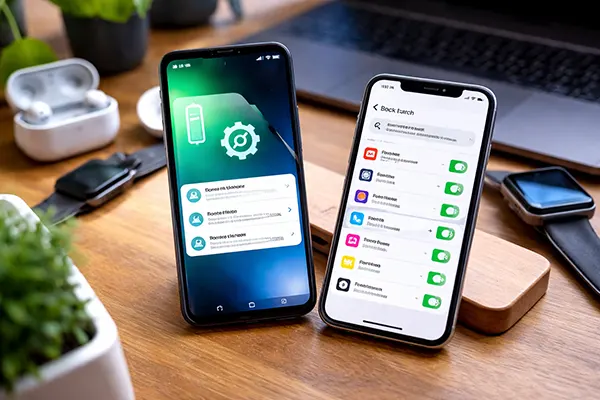
Ensuring consistent notification delivery requires deliberate configuration. On Android 15 and later, open Settings → Apps → [App Name] → Battery and select “Unrestricted” for critical applications such as messaging or authentication tools. Additionally, check Settings → Notifications → App notifications to confirm that all required notification channels are enabled.
Disable manufacturer-specific optimisation if necessary. On Samsung devices running One UI 7, navigate to Device Care → Battery → Background usage limits and remove essential apps from the sleeping list. On Xiaomi’s HyperOS 2, enable “Autostart” and disable battery saver restrictions for selected apps. These steps prevent the system from terminating background processes prematurely.
On iOS 18, go to Settings → General → Background App Refresh and ensure it is active for essential apps. Verify that Focus modes are not silencing notifications unintentionally. In Settings → Notifications → Scheduled Summary, remove time-sensitive apps from summary grouping so that alerts appear instantly rather than at scheduled intervals.
Advanced Troubleshooting Steps in 2026
If problems persist, reset push permissions by disabling and re-enabling notifications for the affected app. On Android, clearing app cache (not data) can refresh internal messaging services without deleting personal information. Reinstalling the app forces token re-registration with FCM or APNs, often resolving server-side inconsistencies.
Check system updates. Both Android and iOS release incremental patches addressing background scheduling bugs. In 2025–2026, several Android security patches included fixes for delayed high-priority FCM messages. Running outdated firmware may expose you to resolved notification timing issues.
Finally, review network settings. Temporarily disable VPN services, custom DNS providers or firewall apps to test whether they interfere with push traffic. If notifications resume immediately, you have identified the root cause. Reliable alerts depend on coordinated behaviour between the app, operating system and network — understanding this ecosystem is the key to preventing missed messages.